
Your command center for Weave governance
Manage permissions, configure apps, set access rules, and ensure your organization gets the most out of Weave—all from one central console.
What you'll manage
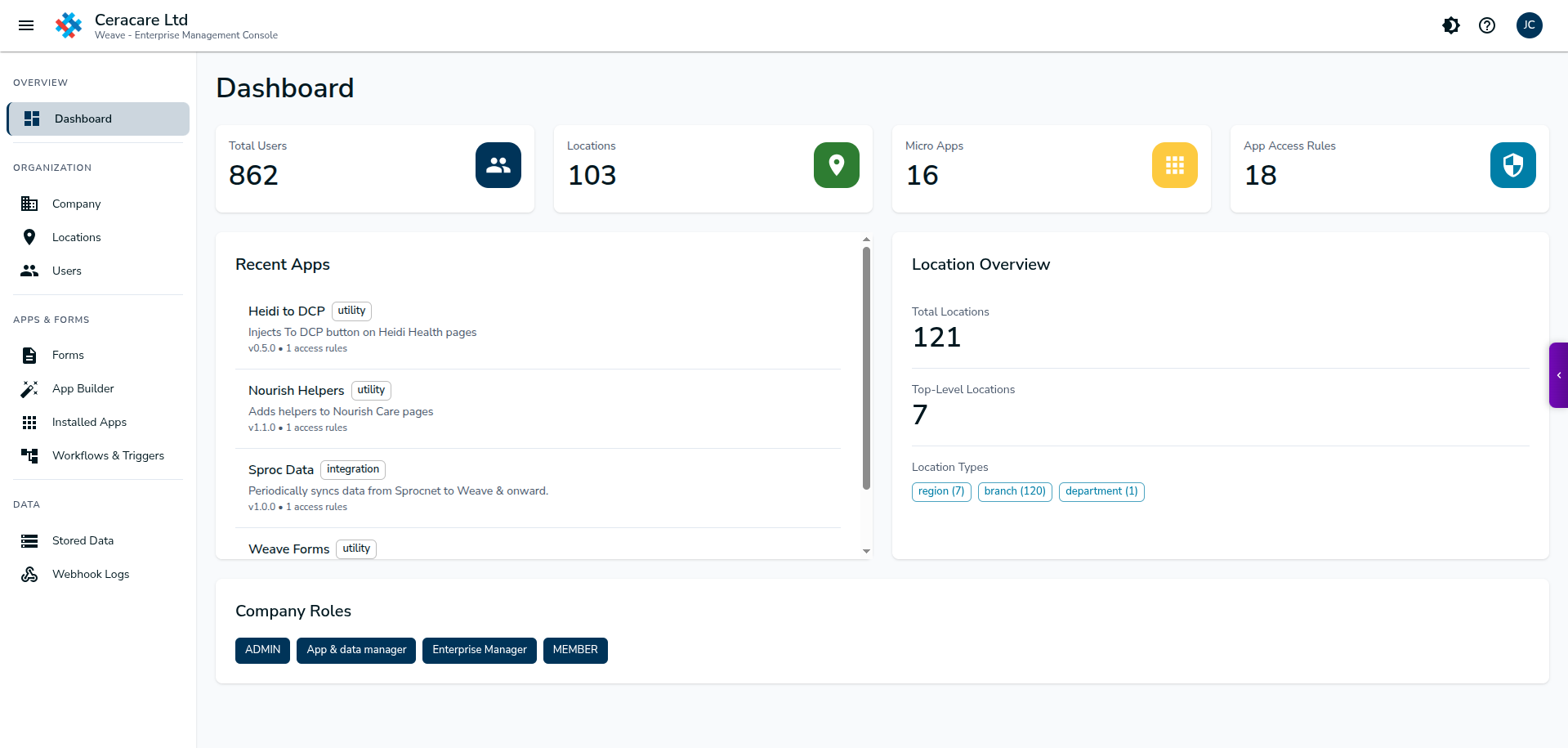
See everything at a glance
The dashboard gives you a real-time overview of Weave activity across your organization. Monitor usage, track adoption, and spot issues before they become problems.
- Active users and session metrics
- App and workflow usage statistics
- Recent activity and audit events
- System health and error alerts
Assign roles with precision
Control who can do what in Weave. Create custom roles, assign users to teams, and ensure the right people have the right access.
Organize by location or team
Structure your Weave deployment to match your organization. Create locations, branches, or departments and control access at each level.
- Hierarchical location structure
- Location-specific app deployments
- Inherit or override settings per location
- Usage reporting by location
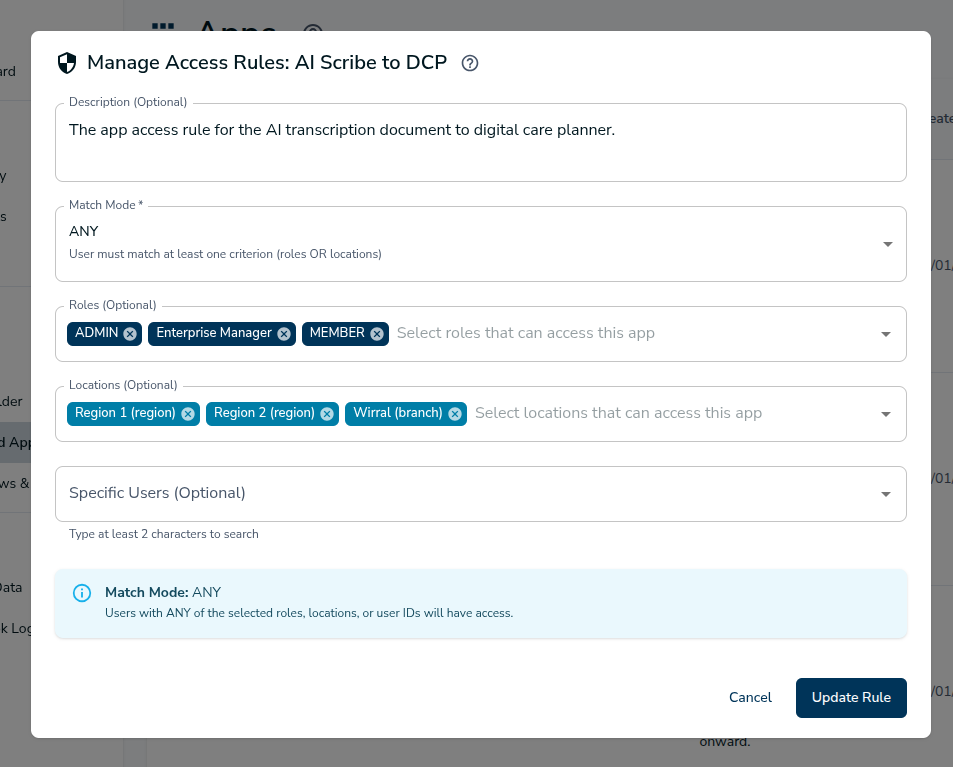
Control access with precision
Define exactly who can access which apps, workflows, and triggers—and on which domains. Access rules give you granular control without complexity.
Deploy and configure apps
Upload custom apps, configure settings, and roll out to your teams—all from the console.
App Library
Browse installed apps, view usage stats, and manage versions. Enable or disable apps per location or role.
App Configuration
Configure app settings without touching code. Set API endpoints, feature flags, and custom parameters per deployment.
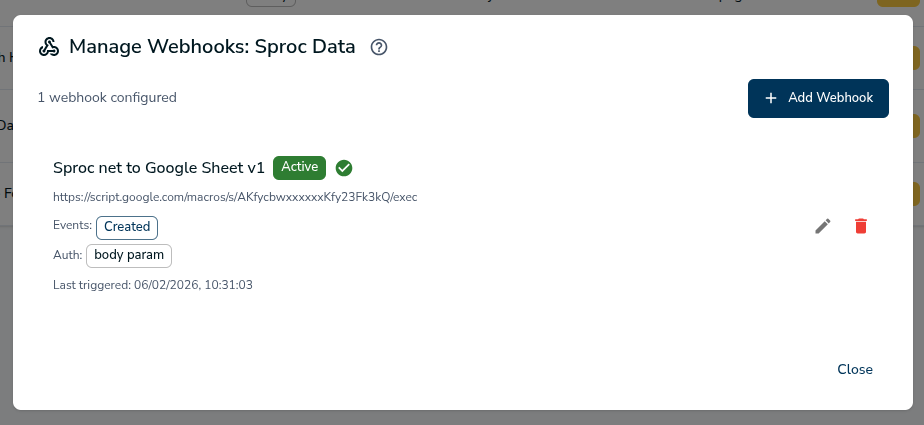
Connect Weave to your systems
Webhooks let Weave push data to your existing systems in real-time. Configure endpoints, manage authentication, and monitor delivery.
Debug with confidence
Full visibility into every webhook delivery. See request payloads, response codes, timing, and retry history—all in one place.
- Searchable log history
- Request/response payload inspection
- Retry failed deliveries manually
- Export logs for compliance
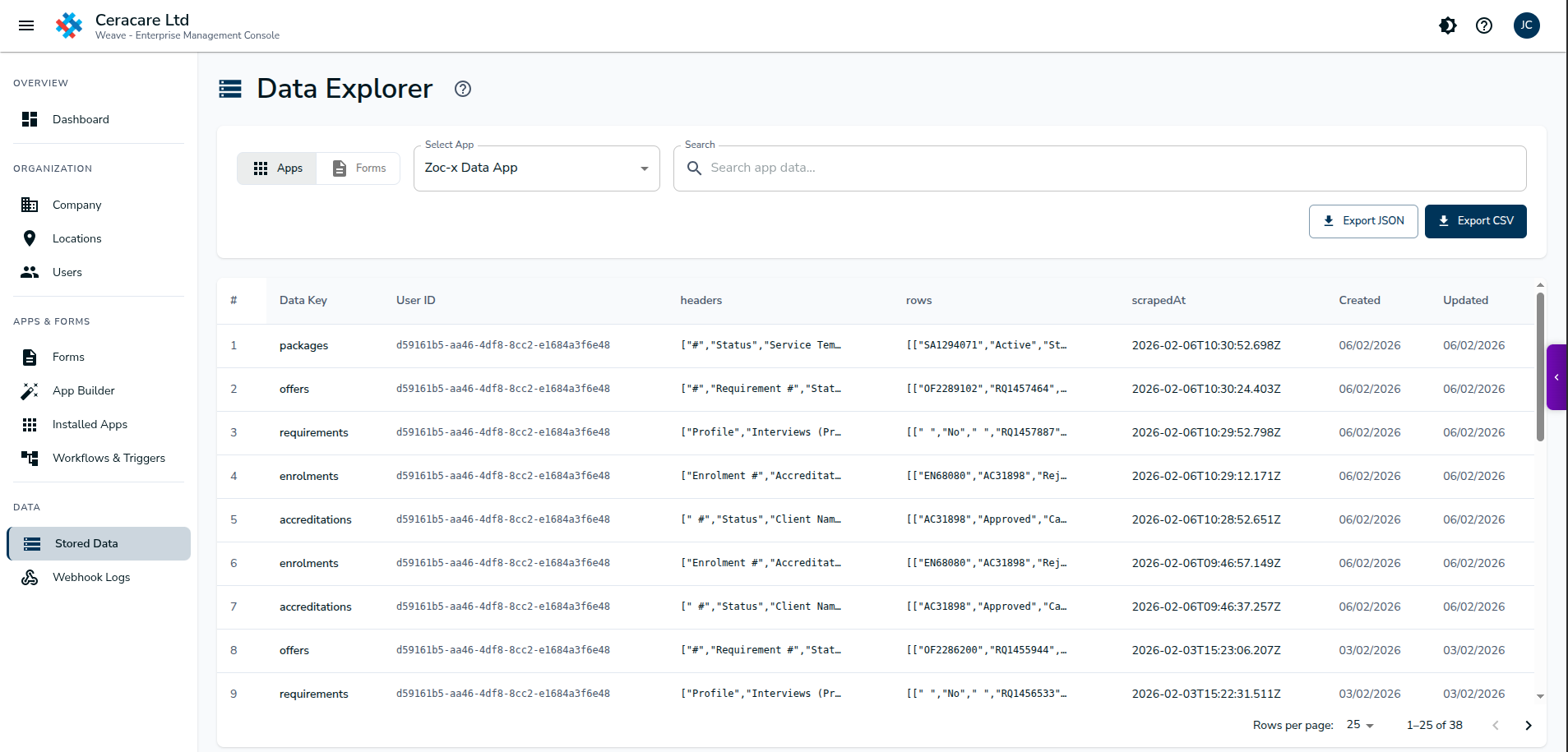
View and manage app data
Apps store data in Weave's secure backend. As an admin, you can view, search, and manage this data—and configure cleanup rules to ensure compliance.
Build and manage forms
Create custom forms that integrate with your workflows. Collect data, trigger automations, and route submissions to the right people.
Form Builder
Drag-and-drop form builder with validation, conditional logic, and multi-step support. No coding required.
Form Management
View all forms, check submission stats, manage access, and configure where data goes after submission.
The Forms App in the sidebar
Users access forms through the Forms App in the Weave sidebar. It's the central place to find, fill, and submit forms—right alongside the systems they're working in.
Ready to become a Weave champion?
Get hands-on training for the Enterprise Management Console. We'll show you how to set up your organization for success.